Spreadsheet template · Excel 2016+ · LibreOffice Calc
Project Command Center
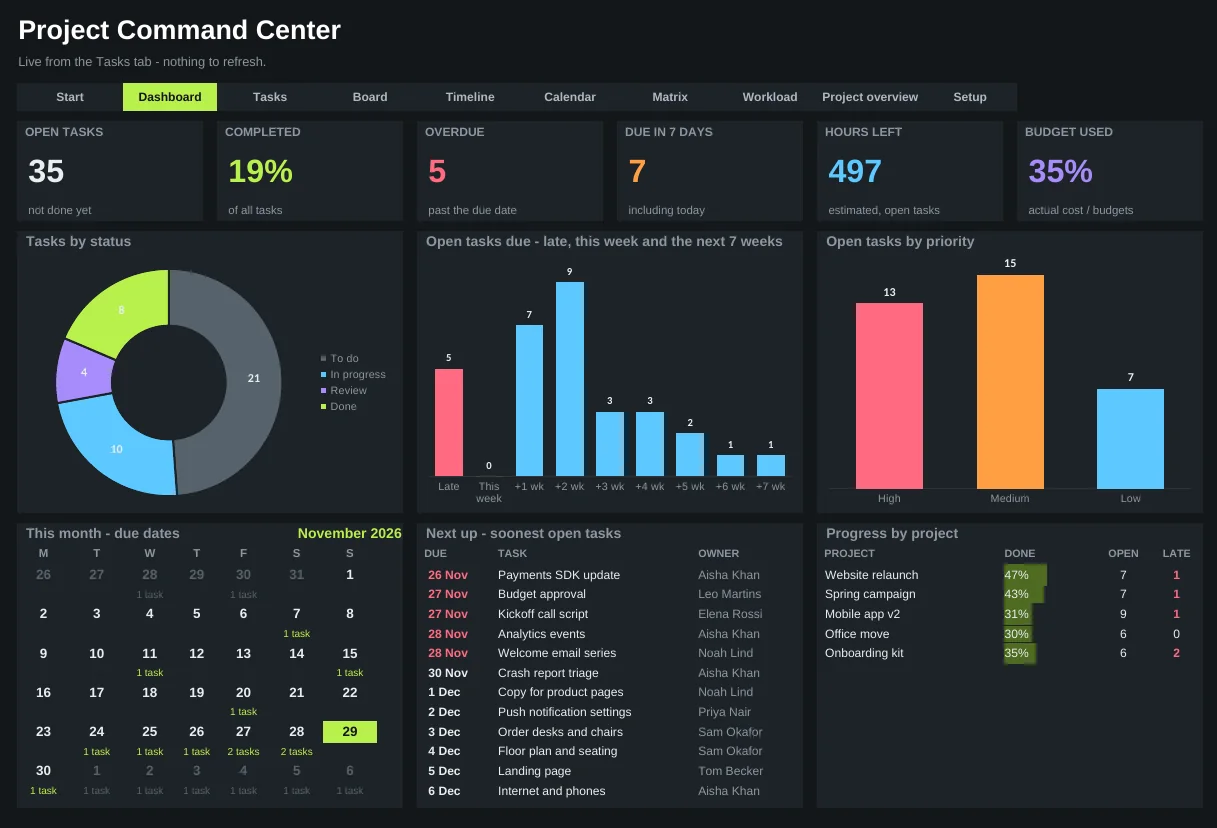
One task list in. Nine live views out. A project management spreadsheet that behaves like an app: type your tasks once and the dashboard, Kanban board, timeline, calendar, priority matrix, workload view and one-page project report all update by themselves.
Why this one
- Nothing to refresh, no pivot tables, no macros: plain formulas that recalculate as you type.
- Up to 300 tasks, 12 projects and 12 people in one workbook.
- The project overview prints on one page - a weekly status report without extra work.
- A sample file whose dates move with today, plus a blank file for real work.
Every tab, as it looks in the file
Screenshots of the sample file that comes with it. Click one to see it full size.
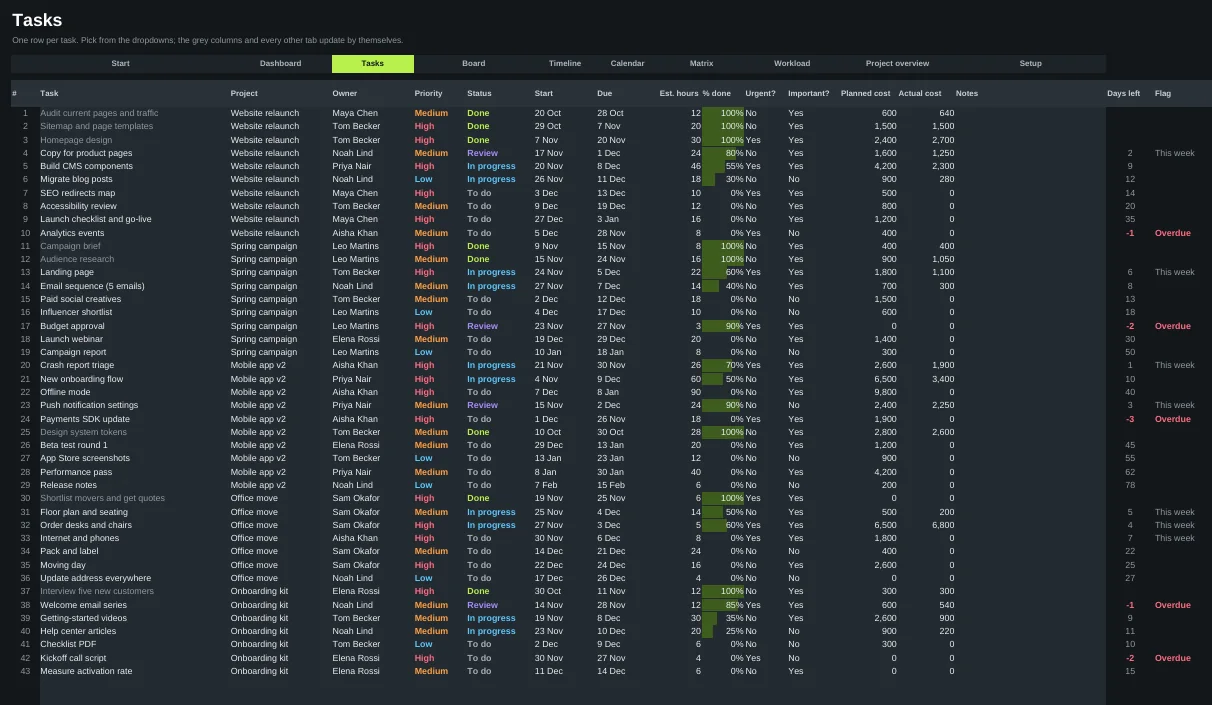
Tasks
The only place you type. 300 rows with dropdowns for project, owner, priority and status; days left and flags fill themselves in.
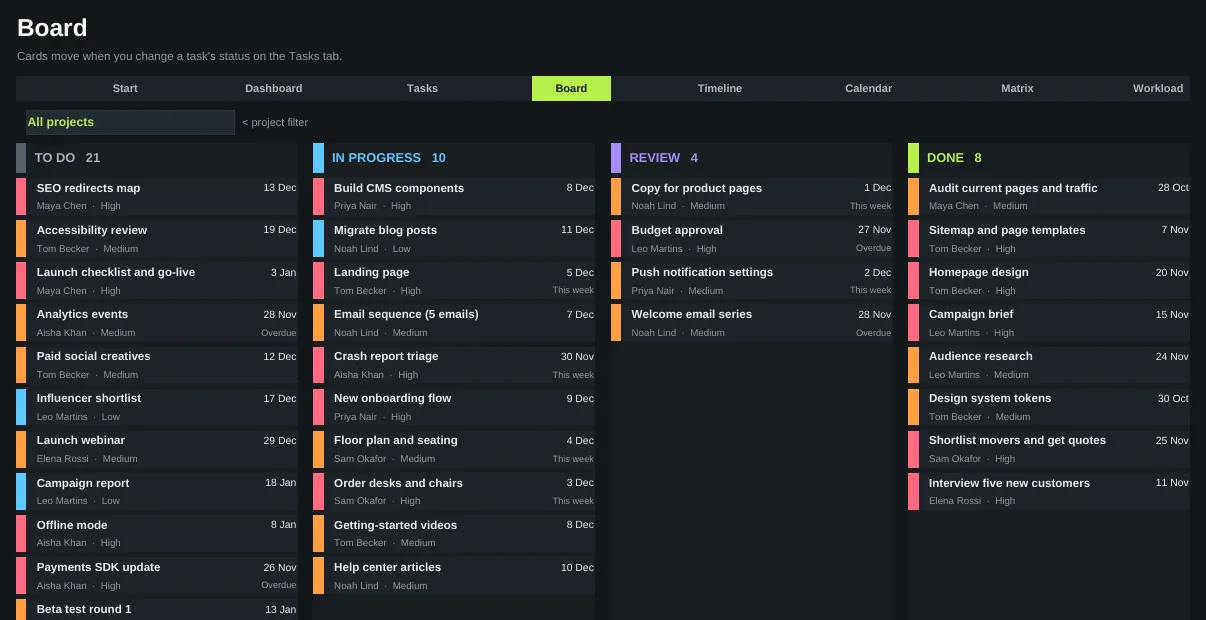
Board
A Kanban board with To do, In progress, Review and Done. Filter by project. Change a status on the Tasks tab and the card moves.
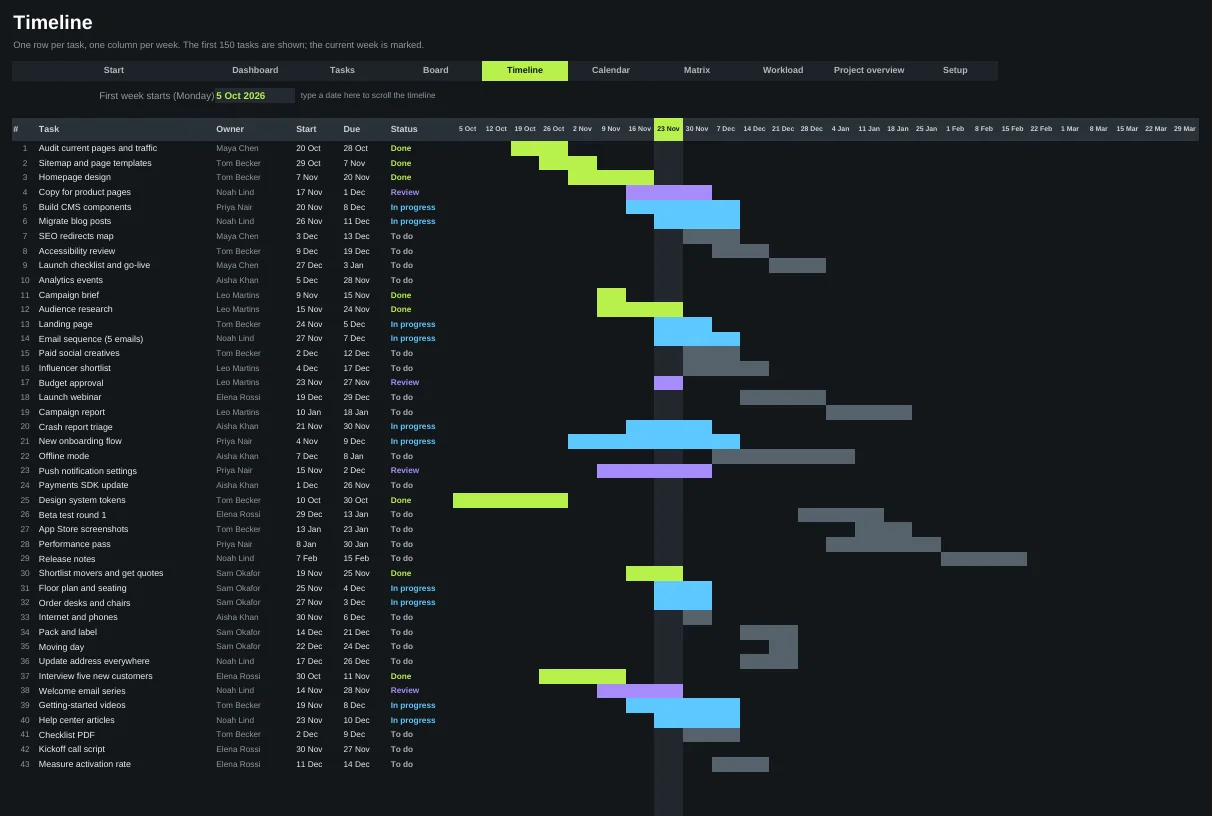
Timeline
A Gantt-style view by week for 150 tasks, coloured by status, with the current week marked.
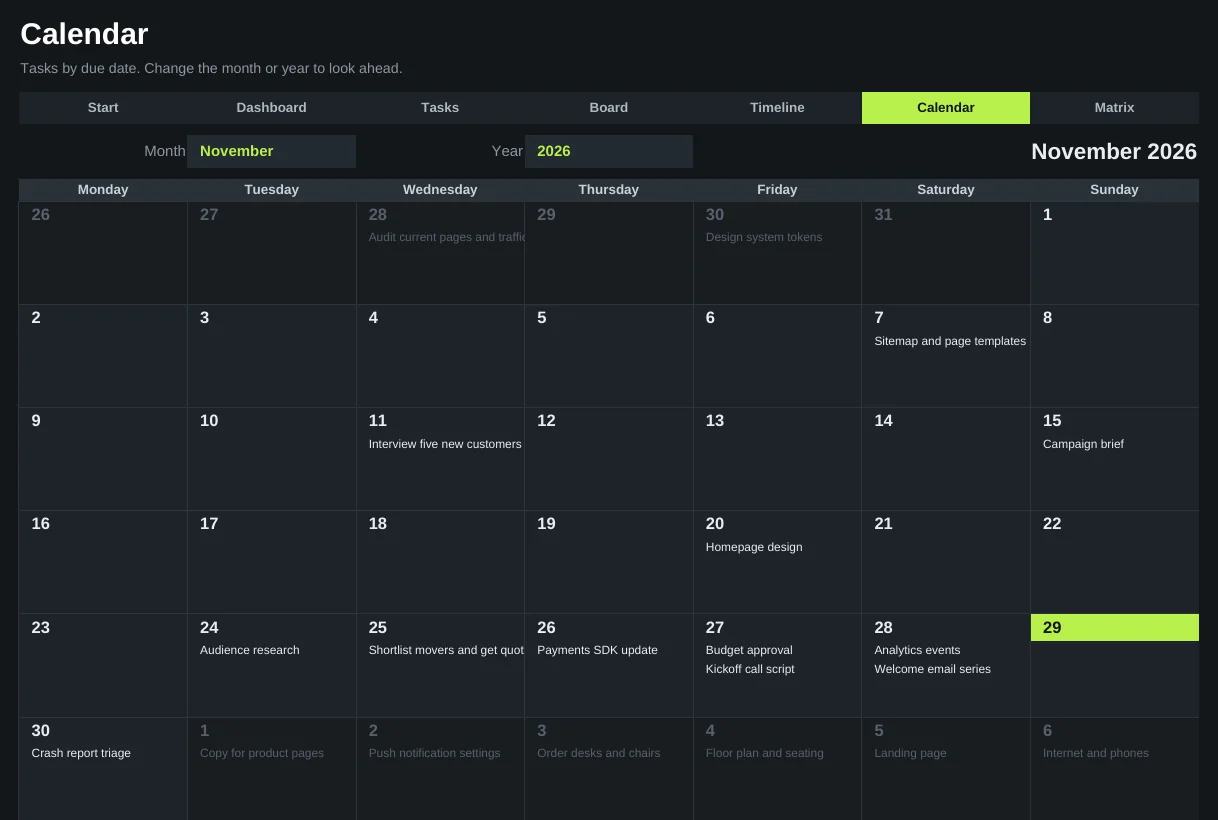
Calendar
A month calendar of due dates. Pick any month and year.
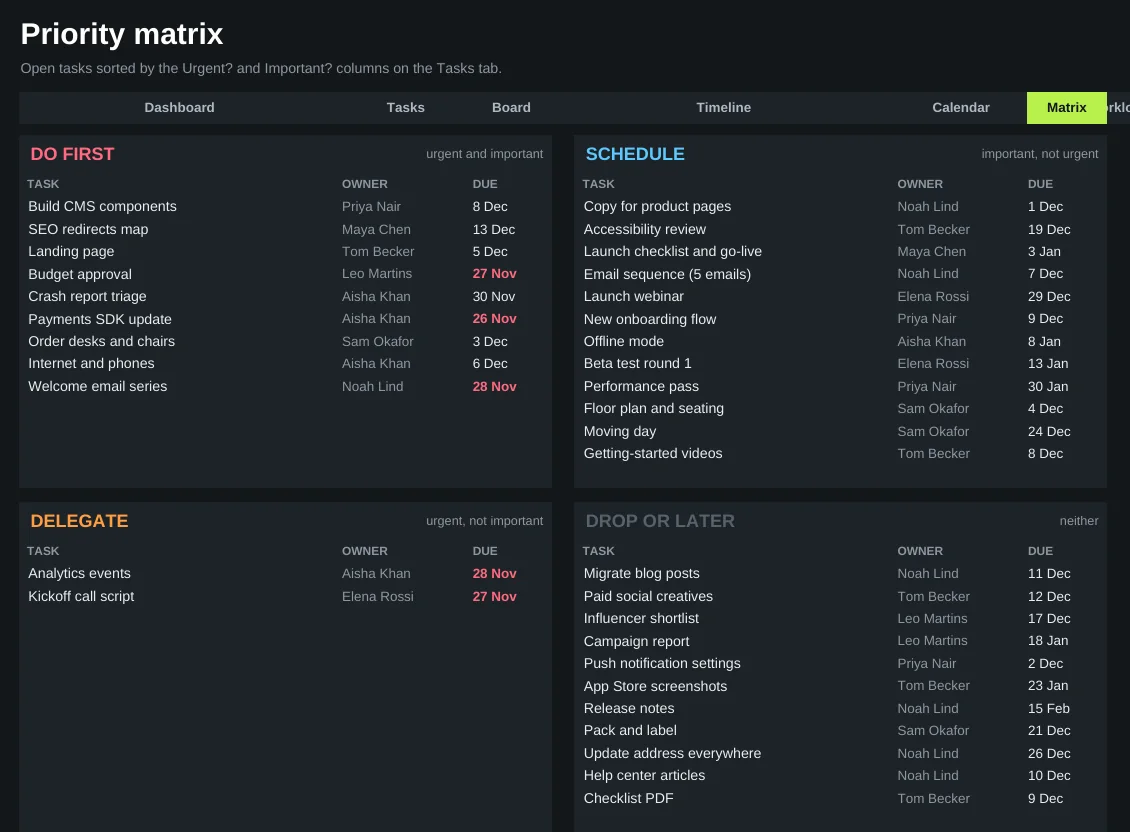
Matrix
The urgent / important matrix: do first, schedule, delegate, drop.
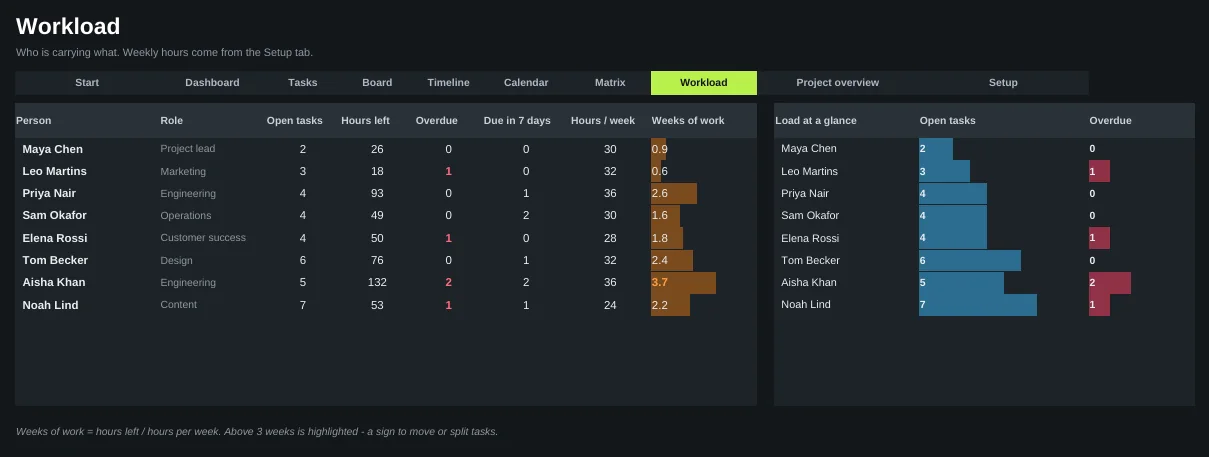
Workload
Open tasks, hours left and overdue work per person, against their weekly capacity.
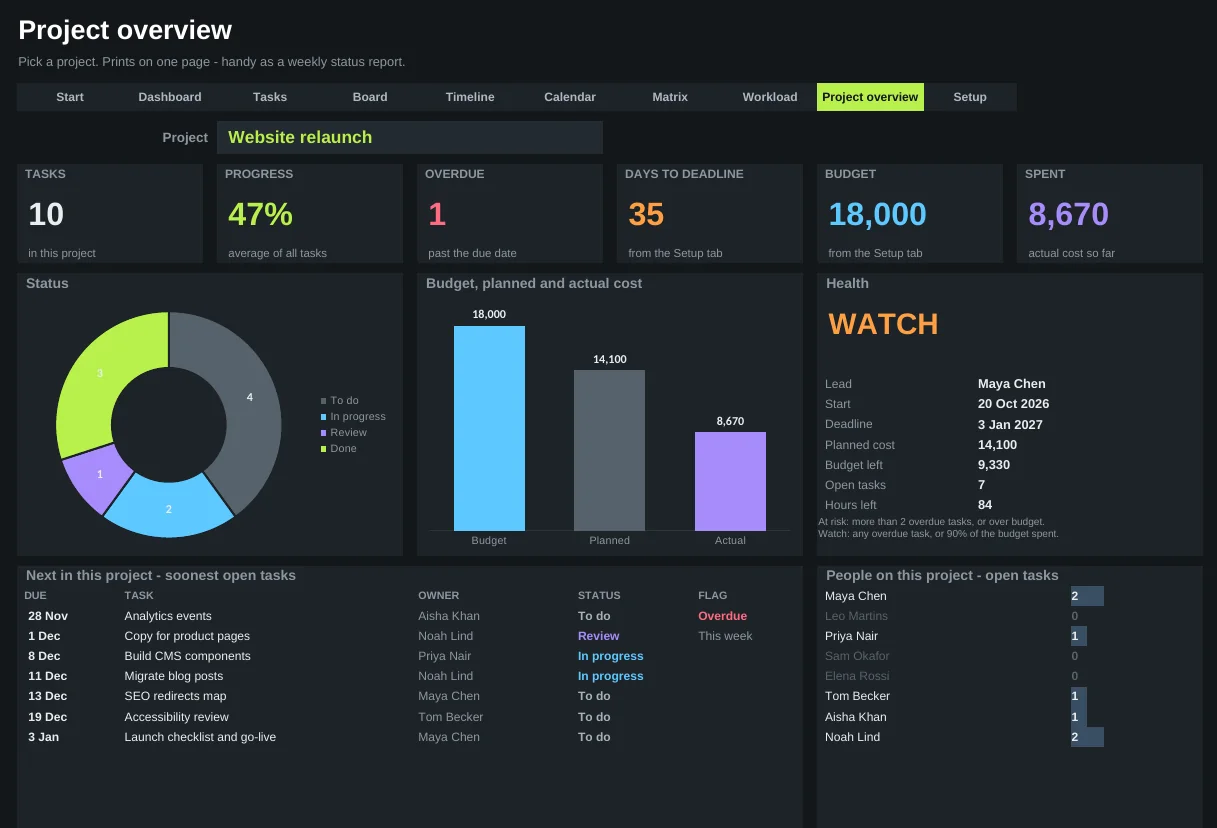
Project overview
Pick one project: status, budget against planned and actual cost, health, next tasks, who is on it. Prints on one page.
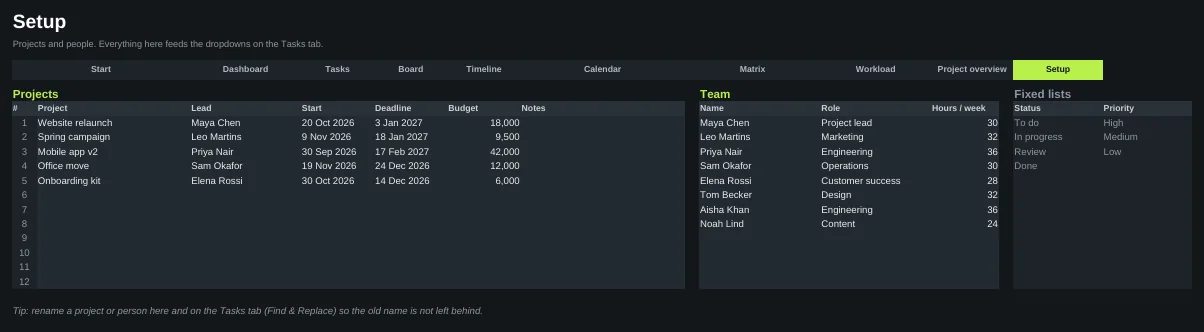
Setup
Up to 12 projects and 12 people. These lists feed every dropdown.
What you get
- Project Command Center - Sample.xlsx: filled with example data whose dates move with today.
- Project Command Center - Blank.xlsx: the same workbook, empty, for your own data.
- READ-ME-FIRST.pdf: how to open it in Excel, LibreOffice or Google Sheets.
Works with
- Microsoft Excel 2016 or newer (Windows and Mac) - no Microsoft 365 needed
- LibreOffice Calc
- Google Sheets by import (File > Import) - see the note below
Checked in Microsoft Excel for Mac 16.57 and LibreOffice Calc 26.8: every formula recalculated with zero errors. Classic functions only - no macros, no add-ins, nothing that needs Microsoft 365. Not yet tested by us in Google Sheets: the formulas only use functions Sheets also has, but in-cell progress bars are an Excel feature and charts can look different there.
Questions
Do I need Microsoft 365?
No. It uses classic functions only, so it does not depend on the dynamic-array functions that many newer templates need.
Can several people use it at once?
Yes if you keep the file where your team already co-edits spreadsheets, for example OneDrive, SharePoint or Google Drive. It is a normal workbook.
Is there a limit?
300 tasks, 12 projects and 12 team members per workbook. For more, keep one workbook per team or per quarter.
Does it have macros?
No macros and no add-ins, so there are no security warnings to click through.
How do I get the file?
Polar, our payment provider, emails a download link right after purchase. Download the ZIP on a computer and open READ-ME-FIRST.pdf.
Can I get a refund?
Yes, within 14 days: reply to your Polar receipt email and say what went wrong.