Spreadsheet template · Excel 2016+ · LibreOffice Calc
Rental Property Manager
One ledger in. Rent roll, reports and a Schedule E summary out. A landlord spreadsheet for up to 10 rentals: log every amount once and get a rent roll that shows who has not paid, a report per property, a lease tracker, a maintenance log and a tax summary laid out like IRS Schedule E.
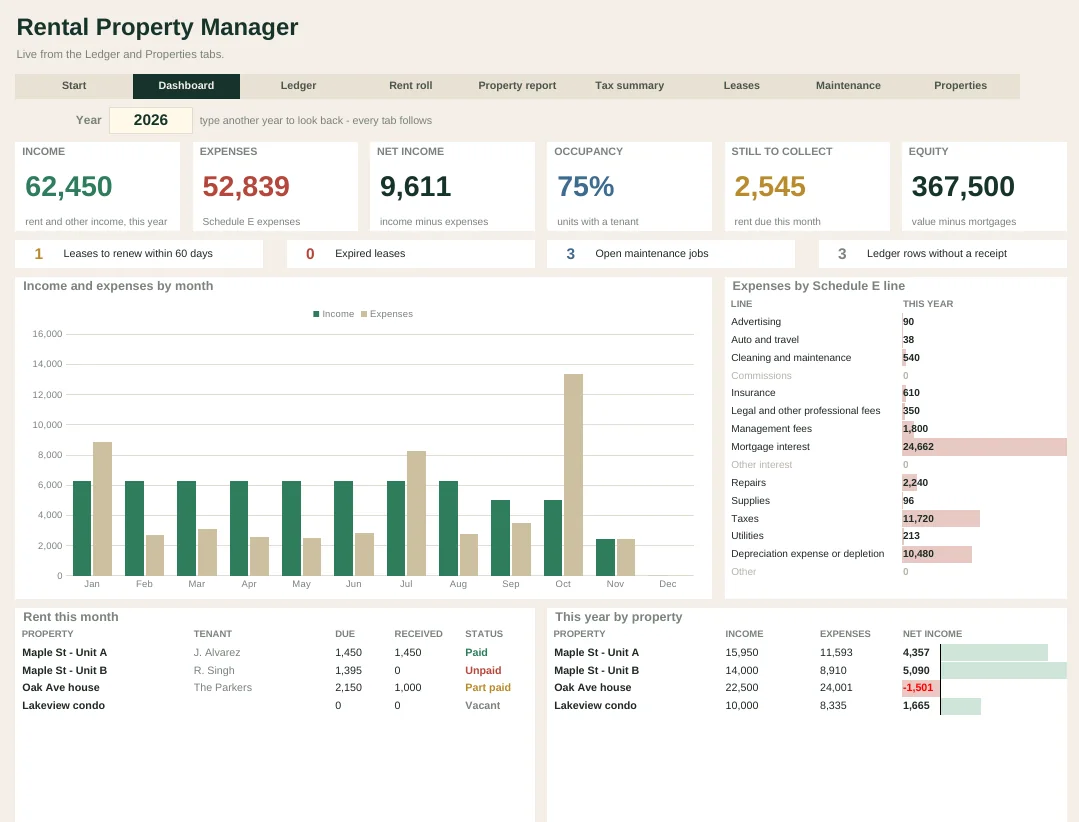
Why this one
- Mortgage principal, capital improvements and security deposits are tracked for cash flow but kept out of the tax summary, where they do not belong.
- Change one cell to look at another year - every tab follows.
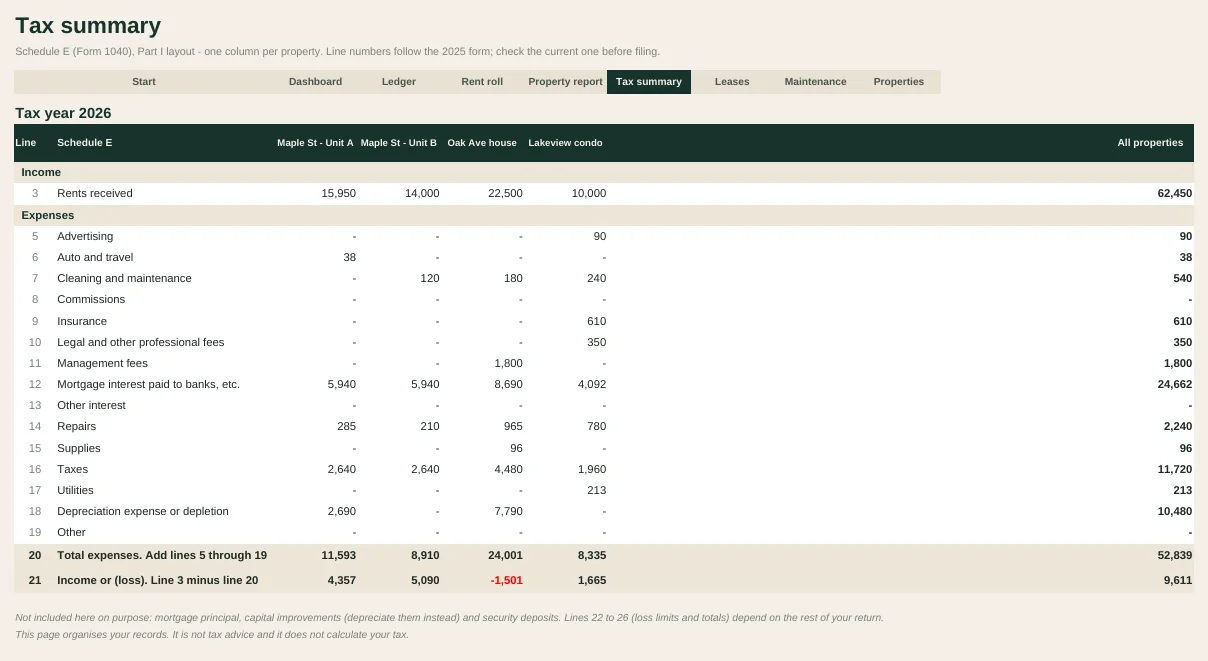
- The tax summary is a page you can hand to your tax preparer as it is.
- Line numbers follow Schedule E (Form 1040) for tax year 2025; it organises records and is not tax advice.
Every tab, as it looks in the file
Screenshots of the sample file that comes with it. Click one to see it full size.
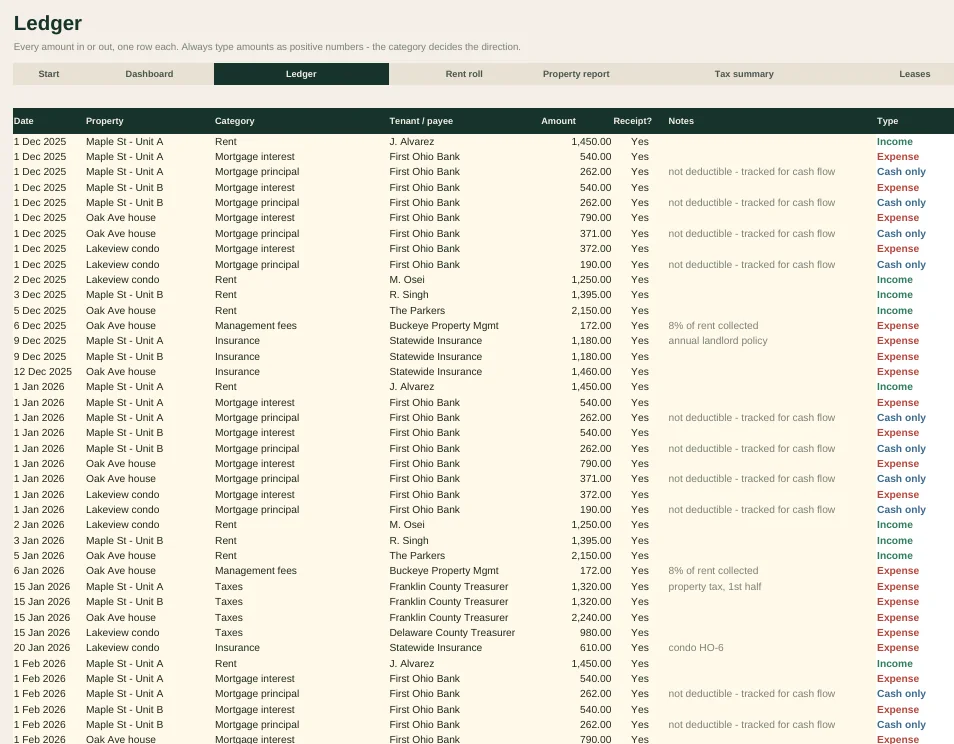
Ledger
600 rows: date, property, category, payee, amount. Categories follow Schedule E; the Type column fills itself in.
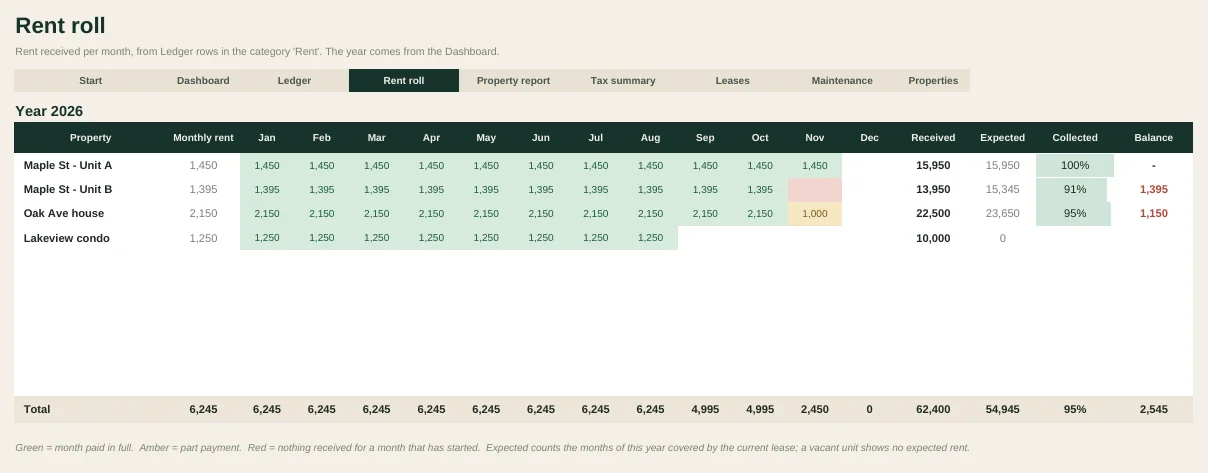
Rent roll
Rent received per property per month. Paid months are green, part payments amber, missed months red.
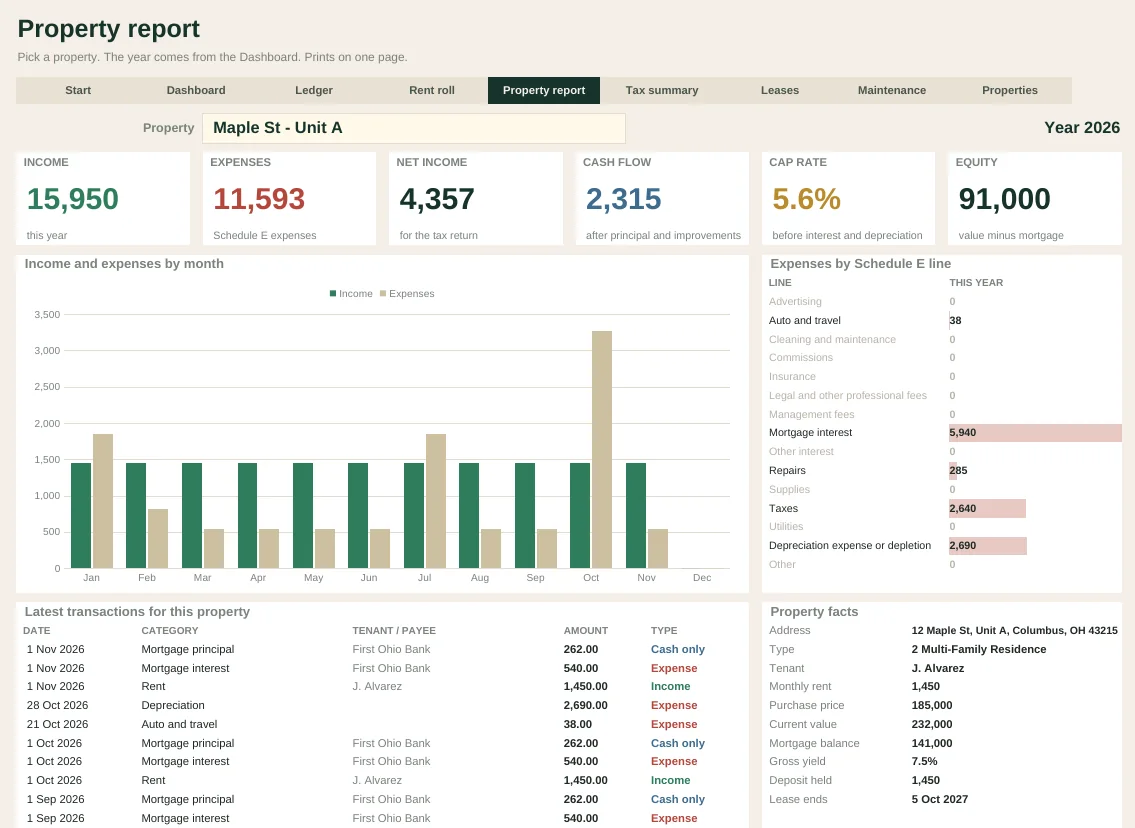
Property report
Pick a property: income, expenses, net income, cash flow, cap rate, month-by-month chart and its latest transactions.
Tax summary
Schedule E (Form 1040) Part I layout: lines 3 to 21, one column per property, for the year you choose.
Leases
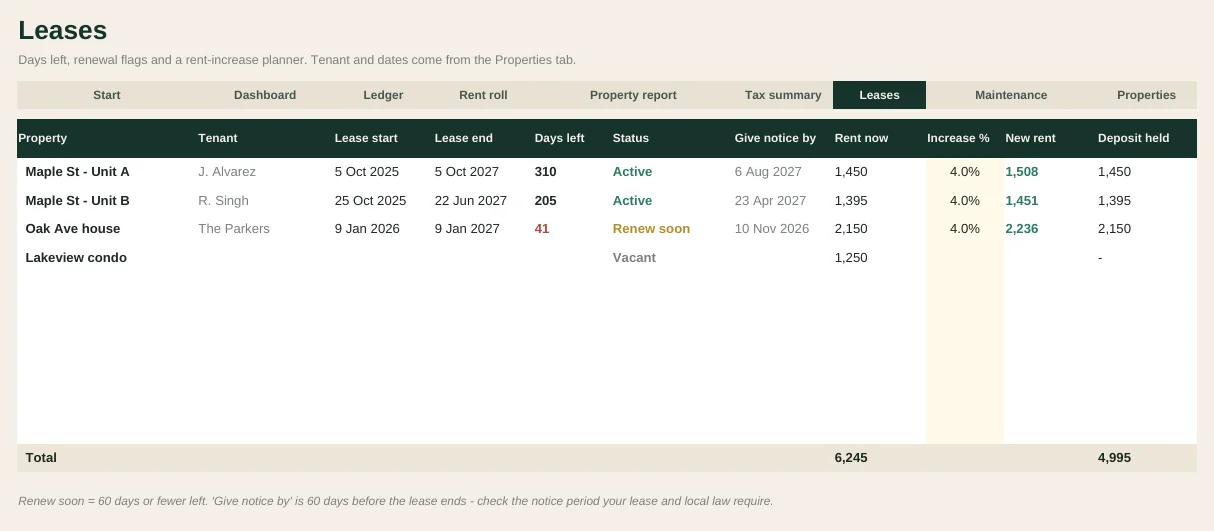
Days left on every lease, a 60-day renewal flag, deposits held and a rent-increase planner.
Maintenance
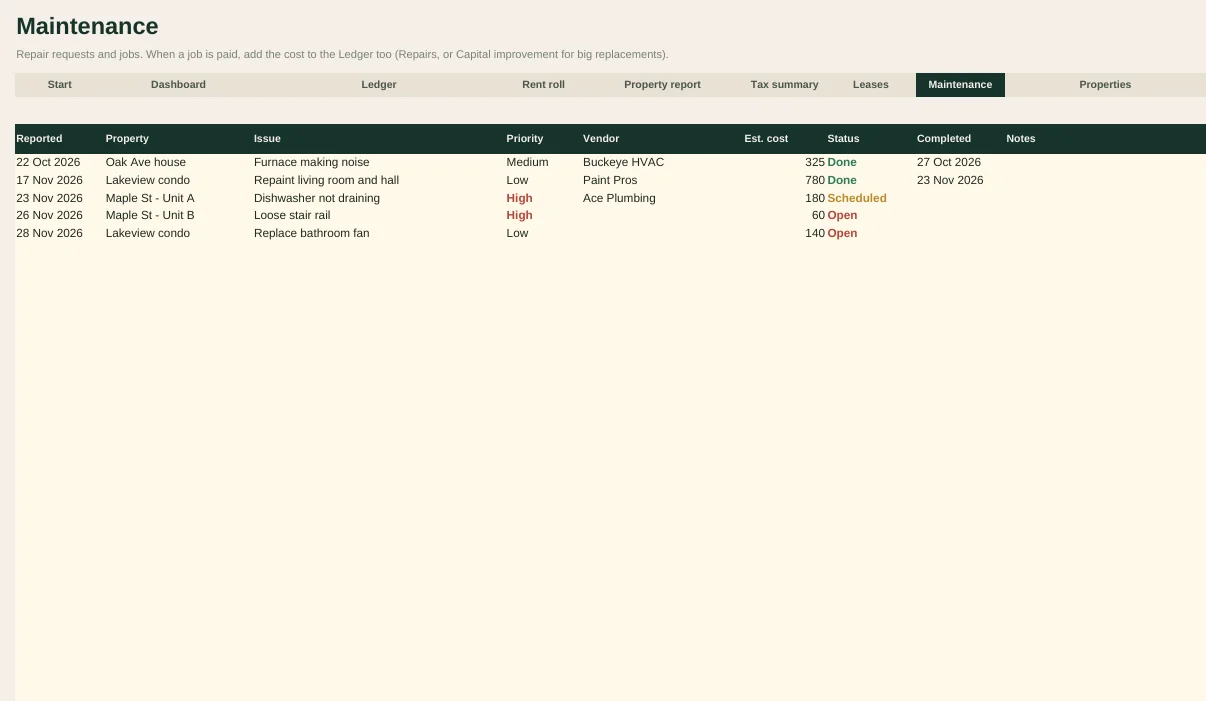
Repair requests with priority, vendor, cost and status. Open jobs show on the dashboard.
Properties
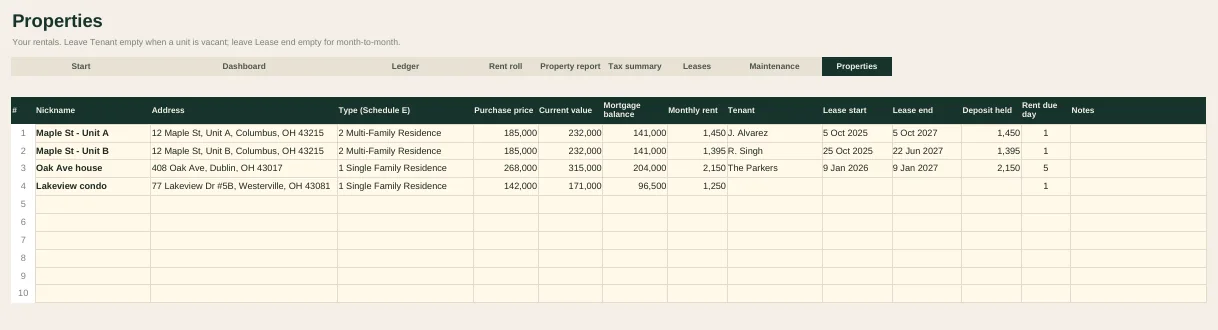
Your rentals: value, mortgage, rent, tenant, lease dates and deposit.
What you get
- Rental Property Manager - Sample.xlsx: filled with example data whose dates move with today.
- Rental Property Manager - Blank.xlsx: the same workbook, empty, for your own data.
- READ-ME-FIRST.pdf: how to open it in Excel, LibreOffice or Google Sheets.
Works with
- Microsoft Excel 2016 or newer (Windows and Mac) - no Microsoft 365 needed
- LibreOffice Calc
- Google Sheets by import (File > Import) - see the note below
Checked in Microsoft Excel for Mac 16.57 and LibreOffice Calc 26.8: every formula recalculated with zero errors. Classic functions only - no macros, no add-ins, nothing that needs Microsoft 365. Not yet tested by us in Google Sheets: the formulas only use functions Sheets also has, but in-cell progress bars are an Excel feature and charts can look different there.
Questions
How many properties does it handle?
Ten properties or units, 600 ledger rows and 200 maintenance jobs per workbook.
Is it only for US landlords?
The ledger, rent roll, reports, leases and maintenance tabs work anywhere. The tax summary follows the US Schedule E form.
Does it calculate depreciation?
No. You enter the yearly figure from your own depreciation schedule as a ledger row; it then counts as an expense but not as cash.
Is this tax advice?
No. It organises your records in the layout of the form. Check the current form and ask a tax professional about your situation.
How do I get the file?
Polar, our payment provider, emails a download link right after purchase. Download the ZIP on a computer and open READ-ME-FIRST.pdf.
Can I get a refund?
Yes, within 14 days: reply to your Polar receipt email and say what went wrong.