Spreadsheet template · Excel 2016+ · LibreOffice Calc
Wedding Planner
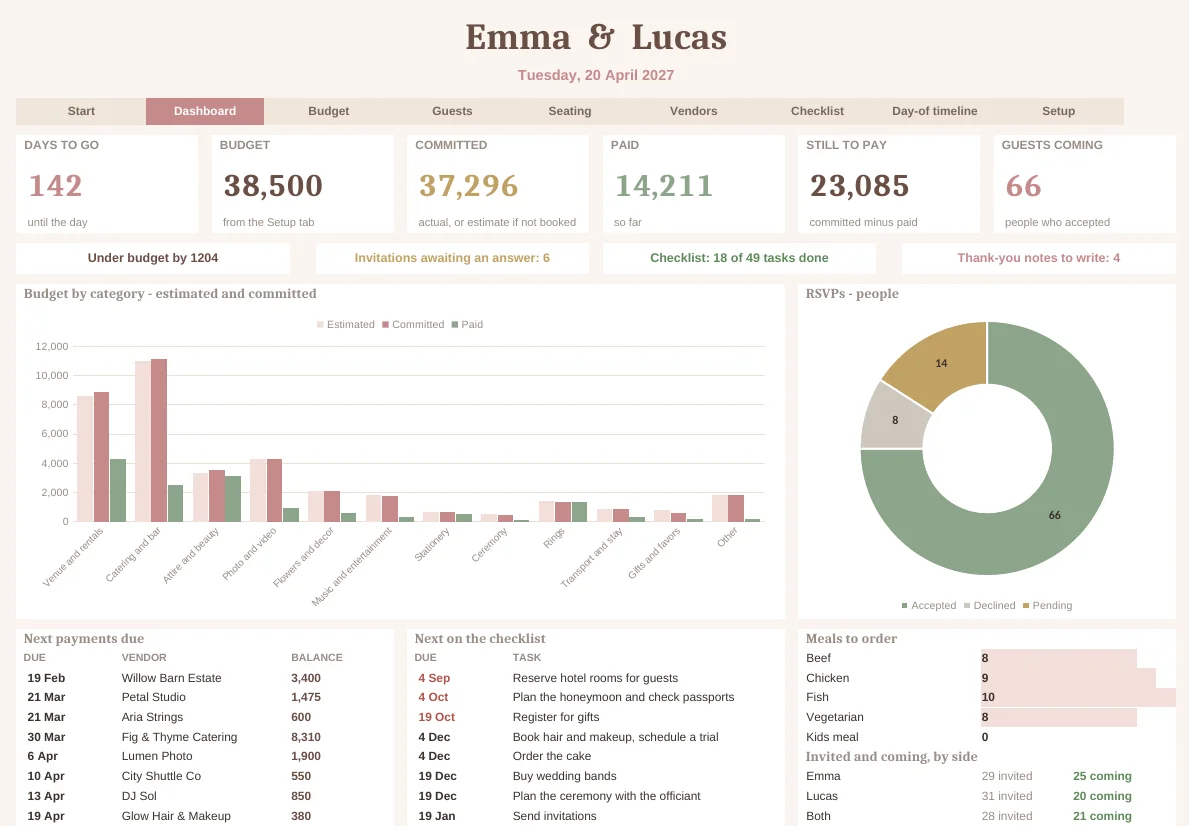
Budget, guests, seating, vendors and the day itself. A wedding planning spreadsheet that keeps everything in one place: a budget that shows what is still owed, RSVPs and meal counts, a seating chart that fills itself in, vendor payment dates and a checklist whose due dates follow your wedding date.
Why this one
- Move the wedding date and every checklist due date and vendor payment date moves with it.
- Party size counts everyone on one invitation, so head counts are right without a row per person.
- The blank file already contains the 49-task checklist and a day-of timeline skeleton.
- Soft, print-friendly design - the day-of timeline and seating chart print cleanly.
Every tab, as it looks in the file
Screenshots of the sample file that comes with it. Click one to see it full size.
Budget
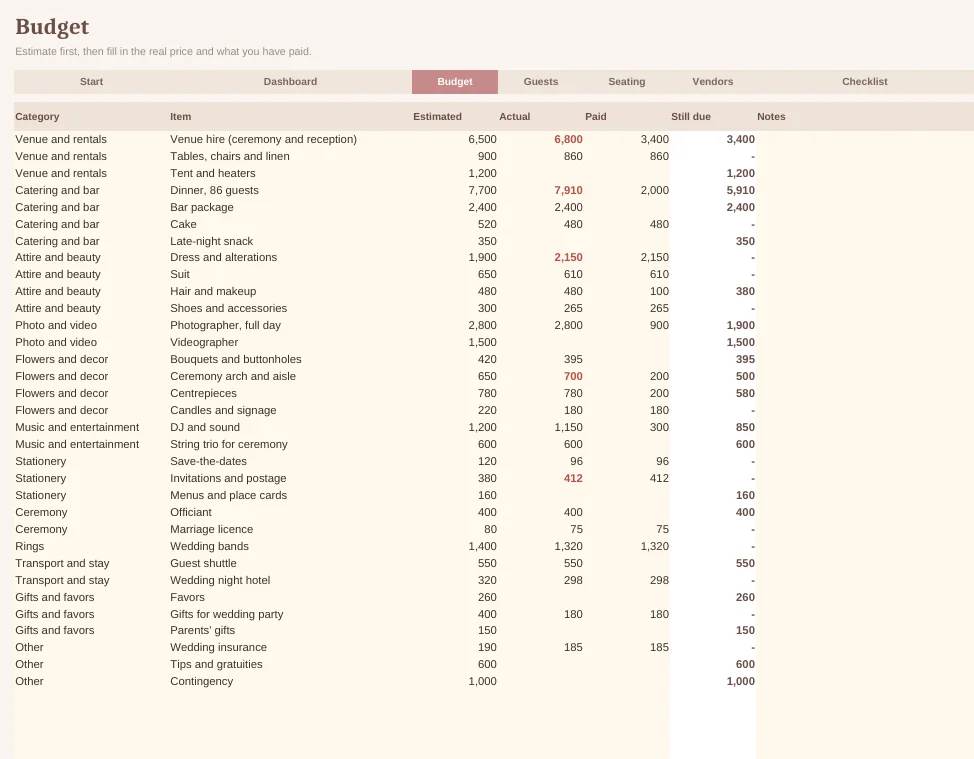
80 lines across 12 categories: estimate, actual, paid and what is still due.
Guests
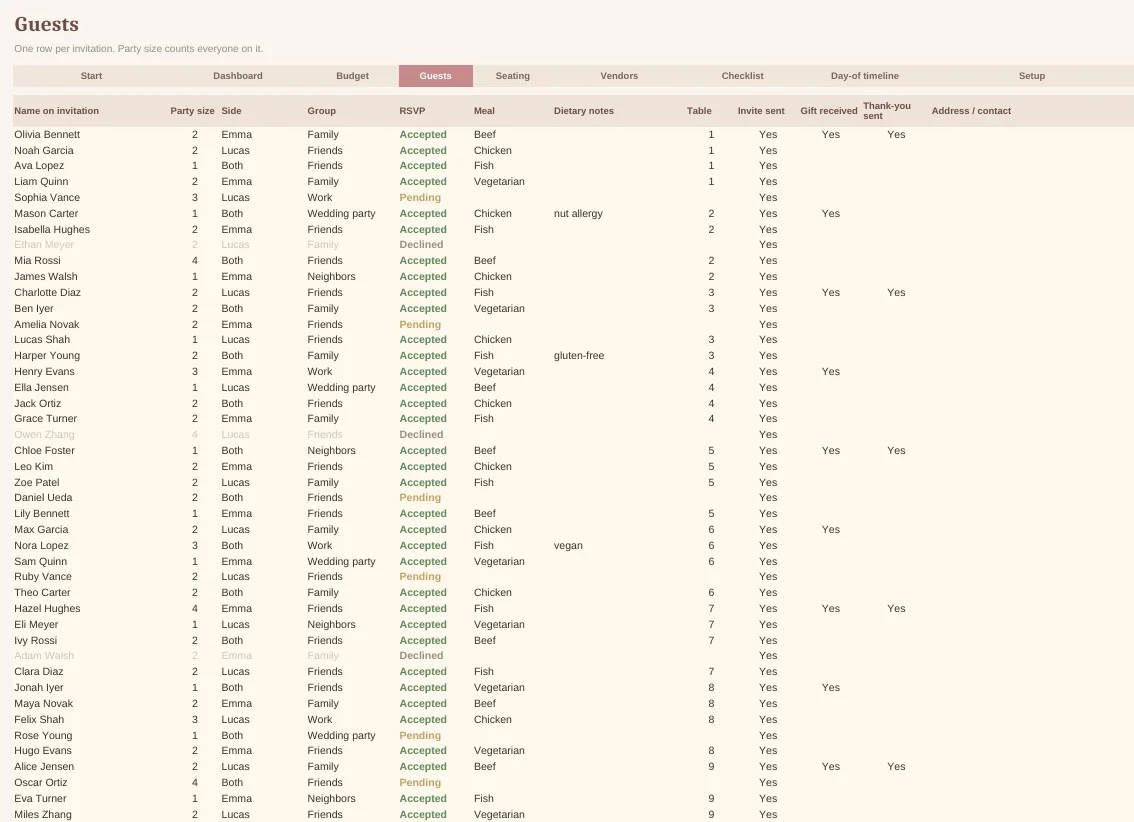
250 invitations: party size, side, group, RSVP, meal, dietary notes, table, invitation, gift and thank-you tracking.
Seating
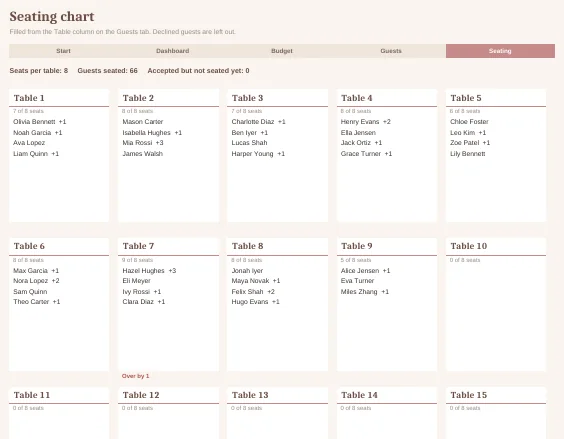
25 table cards listing who sits where, with seats used against seats available. Over-full tables are flagged.
Vendors
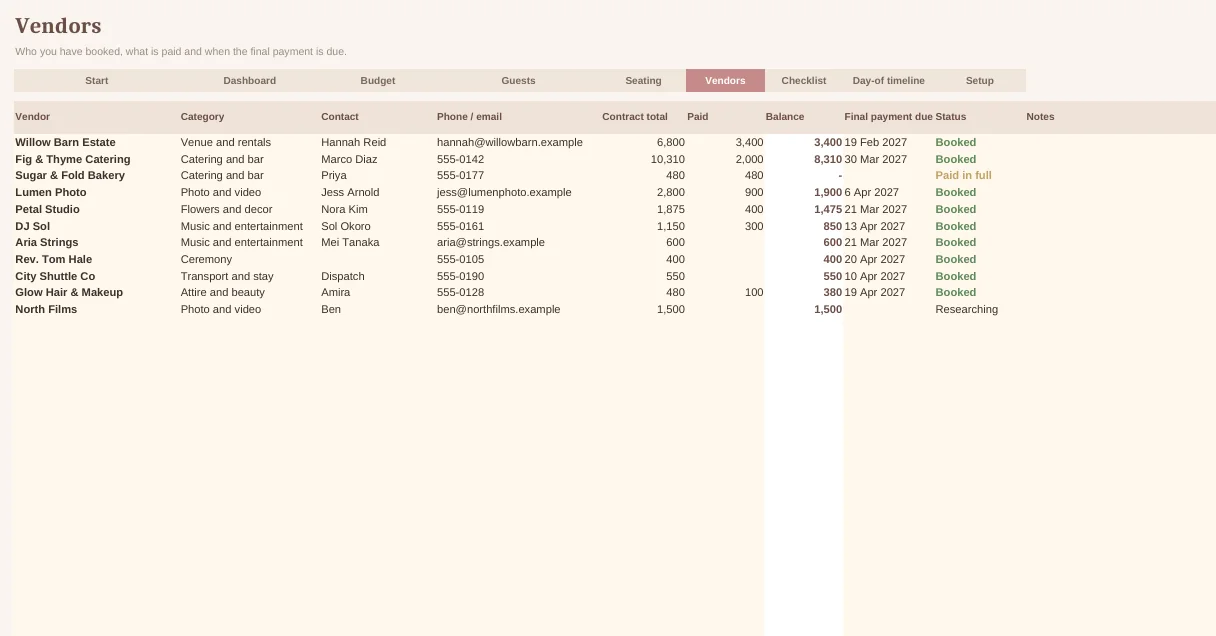
Contacts, contract totals, what is paid, the balance and the date the final payment is due.
Checklist
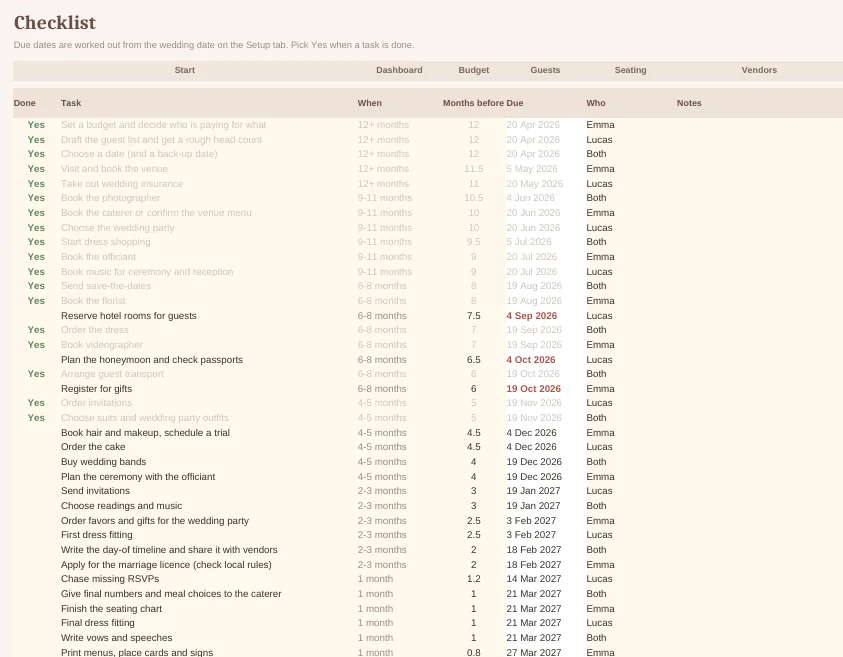
49 tasks from twelve months out to after the wedding, each with a due date worked out from your date.
Day-of timeline
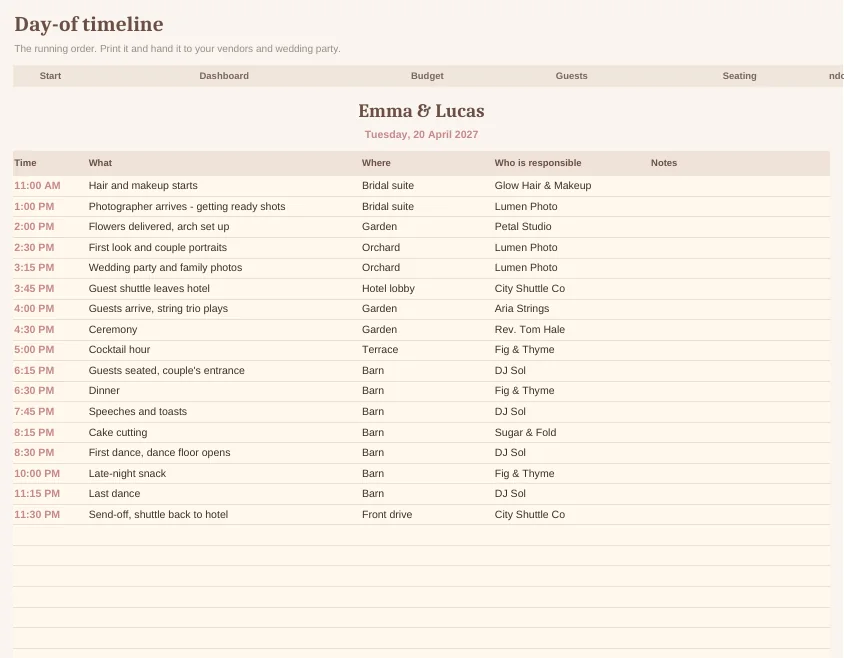
The running order for the day, ready to print and hand to vendors and the wedding party.
Setup
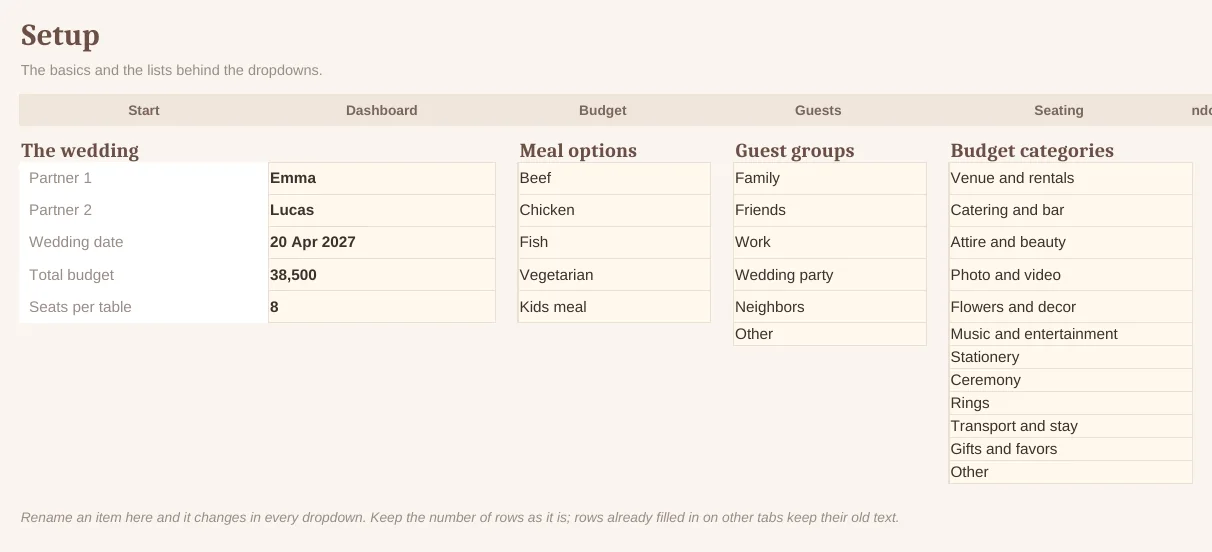
Names, date, total budget, seats per table and the lists behind the dropdowns.
What you get
- Wedding Planner - Sample.xlsx: filled with example data whose dates move with today.
- Wedding Planner - Blank.xlsx: the same workbook, empty, for your own data.
- READ-ME-FIRST.pdf: how to open it in Excel, LibreOffice or Google Sheets.
Works with
- Microsoft Excel 2016 or newer (Windows and Mac) - no Microsoft 365 needed
- LibreOffice Calc
- Google Sheets by import (File > Import) - see the note below
Checked in Microsoft Excel for Mac 16.57 and LibreOffice Calc 26.8: every formula recalculated with zero errors. Classic functions only - no macros, no add-ins, nothing that needs Microsoft 365. Not yet tested by us in Google Sheets: the formulas only use functions Sheets also has, but in-cell progress bars are an Excel feature and charts can look different there.
Questions
How many guests can it hold?
250 invitations (rows). With party sizes, that is usually well over 400 people. Seating covers 25 tables.
Can my partner and I both edit it?
Yes - keep the file in OneDrive or Google Drive and share it like any other spreadsheet.
Can I change the meal options and budget categories?
Yes, on the Setup tab. The dropdowns and the dashboard follow.
Which currency does it use?
Any. Amounts are plain numbers without a currency symbol.
How do I get the file?
Polar, our payment provider, emails a download link right after purchase. Download the ZIP on a computer and open READ-ME-FIRST.pdf.
Can I get a refund?
Yes, within 14 days: reply to your Polar receipt email and say what went wrong.